How Do Google Ads Work? A Beginner's Guide to the Ad Auction, Bidding and Conversions

Google Ads is a pay-per-click system where advertisers bid on searches and pay only when someone clicks. This Google Ads tutorial covers the Google Ads basics and common Google Ads mistakes, and answers a frequent question: how do Google Ads work?
TL;DR:
- Google Ads uses auctions to determine which ads appear and where.
- Bidding strategies and budgets control how campaigns spend money.
- Different campaign types help businesses reach audiences across Search, YouTube, and other platforms.
- Targeting and negative keywords help attract relevant prospects and reduce wasted spend.
- Conversion tracking helps measure leads, sales, and campaign profitability.
How Google Ads Work at a Glance
Advertisers choose keywords and bids, Google runs an auction for each matching search, and the advertiser pays only for clicks. That is how Google Ads work in a nutshell, and it is the first of the Google Ads basics every beginner needs.
A Chicago plumber bids on "emergency plumber near me" with a $50 daily budget. Her ad appears above the organic results, and she pays only when someone clicks. Google AdWords, the name before the 2018 rebrand, worked the same way, so the answer to how AdWords works is the same today.
The main Google Ads benefits are:
- Traffic starts the day you launch.
- You control budget, location and message.
- Every click and conversion can be measured.
In Google Ads vs SEO, ads bring visitors immediately, while SEO takes months but keeps working after you stop paying.
What Happens When Someone Searches on Google?
When someone searches on Google, the platform runs an auction to select relevant ads based on bids, ad quality and relevance to the search query. The winning ads appear alongside organic results, usually within seconds. The following six steps answer the common question: how does Google advertising work?
Step 1: A User Enters a Search Query
Someone types a search like "project management software for agencies." Google reads the words, location, device and likely intent.
Step 2: Google Identifies Eligible Ads
Google checks which keywords and settings match the search. Paused, disapproved or unfunded ads drop out before bidding starts.
Step 3: Google Runs an Ad Auction
Every eligible ad enters a real-time auction for that one search. Google scores each ad with a number called Ad Rank, so a hundred searches mean a hundred separate auctions.Auction here simply means an ad selection process.
Step 4: Google Ranks and Displays Ads
Ads are ordered by Ad Rank and placed in the few slots above or below the organic results.
Step 5: The User Clicks an Ad
The click sends the person to your Google Ads landing page and triggers the charge. On click-based bidding, an ad that is seen but not clicked costs nothing.
Step 6: The Advertiser Measures the Outcome
Conversion tracking records form fills, calls or purchases. Without it, Google Ads results are guesswork.
How the Google Ads Auction and Ad Rank Work
Ad Rank helps determine which ads are eligible to appear and in what position. Google recalculates it for every auction based on factors such as bids, ad quality and search context. Understanding Ad Rank explains how does Google advertising works in practice, whether you call the platform Google Ads or Google AdWords.
What Determines Whether an Ad Is Eligible to Appear?
An ad is eligible when it is approved, funded and matched to the search by keyword, location and language. Fail any one and the ad never enters the auction.
How Google Calculates Ad Rank
Ad Rank combines six signals:
- Your bid
- Ad quality
- Minimum quality thresholds
- Auction competition
- The searcher's context
- The expected impact of your assets
Treat it as a weighted mix, which is one of the Google Ads basics worth learning first.
How Ad Quality and Landing Page Experience Affect Performance
Better quality raises your position and lowers your price. Google rates expected click-through rate, ad relevance and landing page experience. If you want to know how to improve Google Ads performance, start with a relevant, fast Google Ads landing page.
How Ad Assets Influence Ad Prominence
Assets such as sitelinks, call buttons, and images add information to an ad. Google estimates their impact, and larger ads usually earn more clicks.
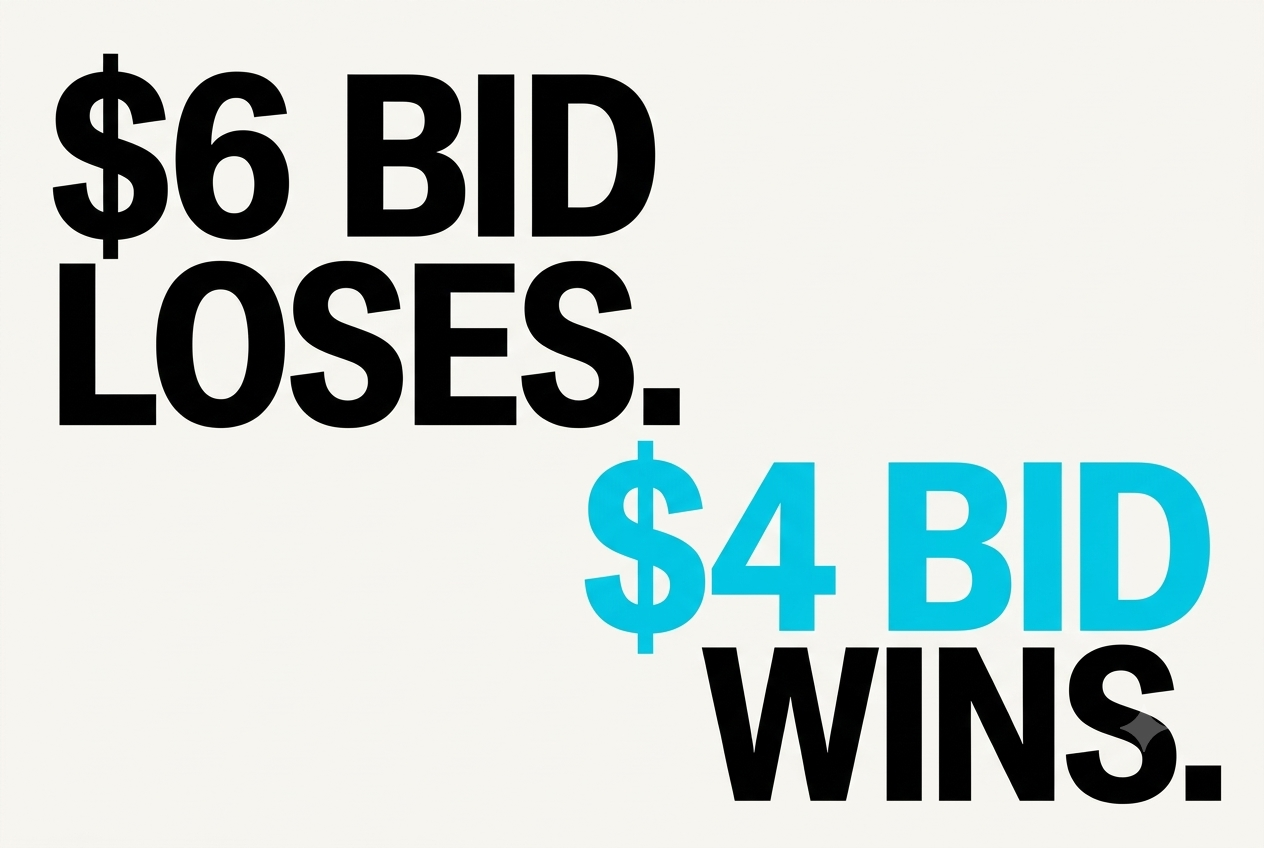
Why the Highest Bidder Does Not Always Win
A lower bid can win when the ad is more relevant.
That is why Google Ads for small business can compete with larger budgets.
How Google Ads Bidding and Budgeting Work
A budget caps spend, and a bid sets what you pay per click or conversion. If you wonder how do Google AdWords work on cost, the model is the same under the new name.
What Is the Difference Between a Budget and a Bid?
A budget is your average daily spend, and a bid is the most you will pay for one click. Google may spend double the daily budget on a busy day, but a month never exceeds 30.4 times it.
How to Set Your Google Ads Budget and Bidding Strategy
- Set a daily budget: Decide how much you can afford to spend, based on your overall advertising budget and campaign goals.
- Choose a bidding strategy: Select a strategy based on your objective, such as Maximise Clicks for traffic or Maximise Conversions for leads and sales.
- Set bid targets if needed: If you use Target CPA or Target ROAS, choose realistic targets based on your conversion data and business economics.
- Monitor and adjust: Review spend, conversion costs and lead quality before changing bids or increasing your budget.
Manual Bidding vs. Automated Bidding
How Smart Bidding Uses Conversion Data
Smart Bidding sets bids at auction time. You pick a goal such as Target CPA or Target ROAS, and it learns from your conversions, so bad tracking teaches it wrong lessons.
How Cost Per Click (CPC) and Cost Per Acquisition (CPA) Work
People who ask how much do Google Ads cost usually mean CPC, the cost of a click. CPA is the cost of a conversion. If 40 clicks at $5 bring 2 sales, you spent $200, and your CPA is $100. Google Ads cost per click and CPA both depend on your Google Ads conversion rate.
How Google Ads Charges Advertisers
On most search campaigns, you pay per click, and the auction sets the price. You pay roughly the minimum needed to hold your position, so the real Google Ads cost per click is often below your bid.
How to Set a Realistic Google Ads Budget
Work backwards from the results you want. How much do Google Ads costs depends on your industry, but WordStream's 2025 benchmarks show an average search CPC of $5.26 and an average conversion rate of 7.52%.
That is a sound starting point for Google Ads for small business owners, and one answer to how much do Google Ads cost.
What Are the Different Types of Google Ads Campaigns?
Google Ads has seven main campaign types: Search, Display, Shopping, Video, Performance Max, Demand Gen and App. Each serves a different purpose, helping explain how does AdWords work across Google's advertising channels, from search results to video and app placements.
1. Search Campaigns
Search campaigns show text ads on Google results for matching queries. They capture existing demand, which suits an accountant or a SaaS vendor and makes them one of the most common Google Ads examples. Many teams in the Google Ads vs SEO debate run both.
2. Display Campaigns
Display campaigns place image ads across partner websites and apps. They reach people browsing, not searching, so they suit awareness and remarketing. One of the Google Ads tips for beginners is to keep Display budgets separate from Search.
3. Shopping Campaigns
Shopping campaigns show product images, prices and store names from a Google Merchant Center feed. A shoe store listing each model with its price is one of the clearest Google Ads examples.
4. Video Campaigns
Video campaigns run ads on YouTube. A software company might show a 30-second demo to people watching tutorials, another of the Google Ads examples.
5. Performance Max Campaigns
Performance Max runs one campaign across Search, YouTube, Display, Shopping, Gmail, Discover and Maps, with automation choosing placements. You supply assets and a goal and give up some control.
6. Demand Gen Campaigns
Demand Gen uses image and video ads on YouTube, Discover and Gmail to build interest before people search. It replaced Discovery campaigns.
7. App Campaigns
App campaigns promote a mobile app across Search, Google Play and YouTube to drive installs.
Local Services Ads vs. Standard Google Ads
Local Services Ads help eligible local service providers generate leads, while standard Google Ads offer more control over targeting, messaging and campaign goals. Here’s how they compare in terms of cost, reach and flexibility.
How Google Ads Targeting Works
Targeting determines who sees your ads based on keywords, location, language and audience settings. Understanding these options, including match types and Google Ads negative keywords, helps explain how Google Ads works to reach relevant customers.
Keywords vs. Search Queries
A keyword is what you bid on, and a search query is what someone typed. A bid on "running shoes" can show for "best shoes for flat feet." Your Google Ads account lists the real queries in the search terms report, one of the most useful Google Ads tools for finding waste.
Broad Match, Phrase Match and Exact Match
New accounts usually do better with phrase and exact, since broad match can drift without conversion data.
How Negative Keywords Prevent Irrelevant Clicks
Negative keywords prevent your ads from appearing for searches containing terms you want to exclude. For example, a paid project-management tool might add:
- free to exclude people looking for free tools
- jobs to exclude job seekers
- template to exclude people searching for downloadable templates
Review your search terms report regularly and add negative keywords when irrelevant searches appear. This helps reduce wasted ad spend and avoid a common Google Ads mistake.
Location, Language and Audience Targeting
Location and language settings limit ads to your market, and audiences narrow it further.
How Targeting Differs Across Search, Display and Video Campaigns
Search targets keywords, while Display and Video target audiences, topics and placements. Search clicks carry more intent and cost more, so among Google Ads tips, split budgets accordingly.
How Google Ads Fit Into the Marketing Funnel
How does Google advertising work across the funnel? Search ads do the most at the bottom, and matching each campaign to a stage improves Google Ads results. Anyone asking how do Google AdWords work for awareness will land on Display and Video.
Awareness: Reaching People Discovering a Problem - Awareness campaigns introduce your business to people who may not know your brand or the solutions available. Display and Video campaigns can reach these audiences while they browse websites or watch YouTube.
Consideration: Reaching People Comparing Solutions - Consideration ads meet people comparing options. A search like "best invoicing software for freelancers" suits a Search ad that leads to a comparison page.
Conversion: Capturing High-Intent Searches - Searches containing terms such as “pricing” or “book a demo” often indicate stronger buying intent. These searches can generate a higher Google Ads conversion rate, although actual results depend on the audience, offer and landing page. Compared with SEO, Google Ads can help businesses reach these prospects immediately through paid placements.
How Search Intent Should Shape Ads and Landing Pages - Match the page to the intent. "What is a CRM" needs an explainer, while "CRM pricing" needs a pricing page, so never send both to one Google Ads landing page. Intent matching is another way how to improve Google Ads performance.
How Remarketing Brings Visitors Back - Remarketing shows ads to people who already visited your site. A demo offer for a pricing-page visitor is a cheaper second attempt, and one of the Google Ads benefits for small teams.
How to Set Up Your First Google Ads Campaign
Setup takes eight steps. This Google Ads tutorial follows Google Ads best practices to avoid Google Ads mistakes, and the Help Centre offers Google Ads help for any screen.
Step 1: Define Your Campaign Goal and Conversion Actions
In your Google Ads account, pick one goal, such as leads, sales or calls, and define what counts as a conversion.
Step 2: Choose the Right Campaign Type
Start with Search, which is also how Google AdWords works for most beginners. Among Google Ads tips, add Performance Max only after the account has conversions.
Step 3: Research Keywords and Identify Negative Keywords
Every Google Ads tutorial starts with Keyword Planner, one of the free Google Ads tools. Use it to find terms and estimated costs, then build a starter list of Google Ads negative keywords such as "free" and "diy."
Step 4: Set Your Targeting, Budget and Bidding Strategy
Set locations, languages and a Google Ads budget you can sustain for a month. Google Ads for small business works best with steady spend. Start with Maximize Conversions, then move to Target CPA.
Step 5: Write Relevant Ads and Configure Ad Assets
Google Ads best practices say to repeat the searcher's words in headlines and state one clear offer. Responsive search ads accept up to 15 headlines and 4 descriptions, a format older guides on how do Google AdWords work never covered. Google Ads help pages list current limits.
Step 6: Build a Landing Page That Matches the Ad
Send each ad group to a page that continues the ad's promise. A fast, mobile-friendly Google Ads landing page is one of the Google Ads best practices that protects conversions.
Step 7: Set Up Conversion Tracking and Launch
Inside the Google Ads account, install the Google tag or import goals from Google Analytics. Test a real conversion before spending, or your Google Ads conversion rate will mislead you. Google Ads help covers each tag type.
Step 8: Review Performance and Make Informed Adjustments
Check Google Ads results weekly, but wait for enough data before changing anything. Use this routine:
- Review the search terms report.
- Add negative keywords.
- Pause keywords that spend without converting.
- Change one thing at a time.
The search terms report and other Google Ads tools make this easy. It is how you improve Google Ads performance and how Google Ads work in practice.
How to Measure Whether Google Ads Is Working
Understanding how do Google Ads work is only the starting point. To determine whether campaigns deserve more budget, you need to connect advertising activity with leads, sales and revenue. These Google Ads basics help separate useful signals from numbers that look impressive but reveal little about business performance.
Impressions, Clicks, Click-Through Rate and CPC
Impressions measure how often your ad appears, while clicks show how many times people interact with it. Click-through rate (CTR) is the percentage of impressions that generate clicks. Cost per click (CPC) measures the average amount paid for each click.
- Impressions: Indicate visibility, not buying intent.
- CTR: Helps assess how relevant your ad is to its audience.
- Google Ads cost per click: Shows how much you pay to attract visitors.
These metrics explain part of how Google Ads work, but none proves that advertising is generating revenue. For example, a campaign can attract thousands of clicks at a low CPC and still produce no qualified leads.
Conversion Rate and Cost Per Conversion
A conversion is a valuable action, such as a completed purchase, qualified enquiry or booked consultation. Your Google Ads conversion rate is the percentage of ad interactions that result in a conversion, while cost per conversion indicates how much you spend to generate one.
Suppose a campaign receives 500 clicks, generates 20 enquiries and costs $300. Its conversion rate is 4%, and its cost per enquiry is $15.
However, if only two enquiries become paying customers, the campaign's actual commercial value depends on the revenue those customers generate. Define meaningful conversions before evaluating performance.
Return on Ad Spend (ROAS) vs. Return on Investment (ROI)
ROAS measures revenue attributed to advertising relative to ad spend. ROI considers profitability after accounting for relevant costs.
- ROAS: Revenue attributed to ads ÷ advertising spend.
- ROI: (Profit attributable to the investment − investment cost) ÷ investment cost × 100.
A campaign generating $4 in attributed revenue for every $1 spent has a 4:1 ROAS. That does not automatically mean it is profitable. Product costs, fulfilment, sales expenses and other overheads can change the outcome.
How to Distinguish Traffic Growth From Business Results
More website traffic is useful only when it helps achieve a business objective. Evaluate Google Ads results alongside lead quality, sales conversion rates, customer acquisition costs and revenue.
For B2B companies, track whether enquiries match your target customer profile, progress through the sales pipeline and eventually become customers. This is particularly important when evaluating Google Ads for small business, where wasted spend can limit the budget available for other growth activities.
How Conversion Tracking Influences Automated Bidding
Automated bidding uses signals and conversion data to optimise bids towards a campaign's chosen objective. Strategies such as Maximise Conversions and Target CPA depend on the conversion actions and settings you provide.
If tracking is inaccurate, the system can optimise for the wrong outcomes. For example, counting every page view as a conversion may encourage Google to find visitors who browse rather than buy.
Verify conversion tags, attribution settings, duplicate events and conversion values before increasing spend.
How to Use Google Ads and Google Analytics Together
Google Ads shows advertising performance, while Google Analytics helps explain what visitors do after arriving on your website. Linking the two can provide a clearer view of traffic sources, engagement and conversion journeys.
Use Google Ads tools to assess campaign costs and bidding performance, then use Analytics to investigate landing-page behaviour and key events. Check that both platforms use consistent measurement definitions before comparing reports.
7 Common Google Ads Mistakes That Waste Budget
Google Ads campaigns can waste budget even when they generate plenty of clicks. The problem often lies in targeting the wrong searches, losing visitors on landing pages or measuring activity instead of business outcomes. Here are seven common Google Ads mistakes and how to fix them.
How to Improve Google Ads Performance Over Time
Knowing how to improve Google Ads performance requires a repeatable process: identify what is underperforming, test a specific change and measure its effect on business outcomes. These Google Ads best practices help turn campaign data into decisions.
1. Review Search Terms and Refine Targeting
Review search queries, locations, devices and audience segments to identify wasted spend and promising opportunities. Add relevant Google Ads negative keywords, refine keyword targeting and separate high-intent searches from early-stage research.
2. Test Ad Copy and Landing Page Variations
Test one meaningful variable at a time, such as a headline, offer or call to action. Use Google Ads examples from your own campaigns to understand which messages attract qualified prospects. Apply the same discipline to your Google Ads landing page.
3. Match Bidding Strategies to Available Conversion Data
Choose bidding strategies that reflect your objectives and the reliability of your tracking. Start with an appropriate campaign goal, then assess whether sufficient conversion data exists to support more ambitious automated bidding.
4. Improve the Journey From Ad Click to Conversion
Remove friction between the search query and the desired action. Ensure landing pages load quickly, communicate value clearly and make enquiry forms easy to complete. These practical Google Ads tips can improve conversion performance without automatically increasing spend.
5. Allocate Budget Based on Business Outcomes
Compare campaigns by qualified leads, customer acquisition costs and profitability rather than clicks alone. Consider Google Ads vs. SEO when deciding how to distribute resources: paid advertising can capture demand quickly, while SEO can build organic visibility over time. Neither guarantees results, and both require measurement.
How long does it take for Google Ads to work?
Early data may appear within days, but reliable conclusions often require several weeks or longer, depending on conversion volume, sales cycles and budget. A Google Ads tutorial can explain setup, but sustained improvement comes from testing, measurement and informed decisions.
Turn Google Ads Clicks Into Measurable Business Growth
Google Ads benefits extend beyond traffic when campaigns connect targeting, messaging, conversion tracking and sales outcomes. Understanding how Google AdWords work is useful, but execution determines whether that knowledge translates into growth.
Envizon helps B2B teams bring strategy, paid media, content, SEO and outbound together around priority accounts. Instead of treating advertising as an isolated channel, businesses can connect campaign activity with broader go-to-market priorities.
If your Google Ads account generates clicks but struggles to produce qualified opportunities, talk to Envizon about building a more coordinated B2B growth strategy.
Google Ads helps businesses reach people actively searching for relevant products or services. Its key benefits include:
- Targeted reach: Reach audiences by keyword, location, interests, and other targeting options.
- Budget control: Set spending limits and adjust budgets as needed.
- Measurable results: Track clicks, conversions, and cost per lead.
- Quick visibility: Start appearing in relevant search results after approval.
- Flexible testing: Test keywords, ad copy, landing pages, and offers.
- Scalability: Increase spending on campaigns that deliver profitable results.
Google Ads is Google's online advertising platform that helps businesses reach potential customers through search results, websites, YouTube, and other Google properties. Advertisers set a budget, choose targeting options, and compete in an ad auction to show their ads to relevant audiences.
No. With cost-per-click (CPC) bidding, you pay when someone clicks your ad, not when they see it. With other bidding models, such as cost per thousand impressions (CPM), you pay based on how often your ad is shown.
Google Ads can start generating clicks as soon as your ads are approved and begin showing. However, collecting enough data to evaluate performance and improve results may take several weeks, depending on your budget, traffic, and conversion volume.
Yes. Start with a focused campaign, a specific audience, and a small set of relevant keywords. Set a daily budget you can afford, use negative keywords to avoid irrelevant clicks, and track conversions before increasing your spend.
Google Ads costs vary by keyword, industry, competition, and location. You might pay a few cents or several dollars per click. Set a daily budget to control spending, and monitor conversions to see whether your ads generate enough value to justify the cost.
Neither is universally better. Google Ads can generate visibility and traffic quickly, while SEO helps attract organic traffic over time without paying for every click. Google Ads is useful for testing offers and generating immediate leads; SEO can build sustainable traffic over the long term. Many businesses benefit from using both.
Google Ads lets businesses pay to advertise their products or services. Google AdSense lets website owners earn money by displaying ads on their websites. In simple terms, Google Ads is for advertisers, while AdSense is for publishers.
B2B SaaS GTM strategist and Founder of Envizon. With 18+ years leading marketing across startups like iMocha, Lavelle Networks, CloudCherry, and Hotelogix, she now helps early-stage founders build GTM engines that scale.
About Envizon
Envizon helps early and growth-stage B2B SaaS startups build their go-to-market (GTM) engine, before they hire a full in-house team.We combine Fractional CMO leadership with a full-stack execution team across outbound, inbound, content, AI, paid, and PR.Not an agency. Not just advisory. Envizon acts as your internal GTM partner- bringing strategy, systems, and execution together to help founders scale faster and smarter.
Knowledge Themes
Looking for the best B2B marketing agency alternative?
Envizon combines Fractional CMO leadership with execution across all GTM channels